A property management system syncs with your Airbnb and Vrbo listings by connecting to each platform through an iCal calendar feed or a direct API link, then passing availability, rates and reservations between them. At Boostly, we recommend the API route wherever your PMS offers it.
Key Takeaways
- A property management system (PMS) is the one calendar you edit; it pushes availability, rates and rules out to Airbnb and Vrbo and pulls new reservations back in.
- An iCal feed shares booked and blocked dates on a delay, while an API connection can also carry rates, rules and reservation details, typically within minutes.
- Most double bookings trace back to stale feeds, duplicate connections or unmapped units, and a test change in each direction catches them before guests do.
- A PMS and a channel manager overlap, so ask your vendor which one handles Airbnb and Vrbo and which fields travel over each connection.
- Boostly connects to 27+ property management systems and syncs listings, availability and pricing to your direct booking website in real time, so your own site shares the same calendar as your Airbnb and Vrbo listings.
It can also mean a review you did not want. Every extra listing multiplies that risk. In 2026, a PMS sync is the standard way to remove it.
We work with a community of over 2,000 short-term rental hosts and operators, and the same sync questions come up again and again. What moves, and in which direction? How fast? This walkthrough answers them in nine steps, from how the connection works to a checklist you can run before going live.
Where the detail depends on your PMS and its platform integration, we say so. Check your vendor’s current documentation for the exact fields supported.
Step 1: What Does a Property Management System Do for Airbnb and Vrbo Listings?
A property management system (PMS) is the software that holds your reservations, calendar, rates and guest records in one place and shares them with the booking platforms you sell through. For Airbnb and Vrbo, it acts as the master calendar: you edit once, and both listings follow.
A channel manager is the distribution layer inside that picture. It maps your units to each platform and moves availability and rates. Bookings move too. Many PMS products include one, while others partner with a separate channel manager. Ask your vendor which of the two does the work for Airbnb and Vrbo.
Pick one source of truth and stick to it. Whichever system you choose as the master calendar should be the only place you edit availability. Changing dates directly on Airbnb or Vrbo while a sync runs is the most common way hosts create their own conflicts.
We built Boostly to sit alongside your PMS rather than replace it. It is not a PMS or a channel manager; it connects to the one you already use and carries your listings and availability through to a direct booking website you own.
Step 2: What Data Moves Between Your PMS and Each Platform?
Two-way sync means data travels in both directions between your PMS and a platform: availability, rates and rules go out, while reservations, modifications and cancellations come back in. What moves depends on the connection type, as the table below shows.
| Data | iCal feed | API connection |
|---|---|---|
| Booked and blocked dates | Yes, this is its core purpose | Yes |
| Nightly rates | Not carried | Usually, depending on PMS and platform integration |
| Minimum stays and other rules | Typically not carried | Often supported; varies by PMS |
| Reservation and guest details | Limited, usually a booked block only | Typically a full reservation record |
| Cancellations and modifications | Appear at the next scheduled refresh | Typically passed on as the change happens |
| Listing content such as photos and descriptions | Not carried | Depends on PMS and platform; confirm before relying on it |
Treat the table as a guide, not a guarantee. Capabilities vary by PMS and by each platform’s own integration rules, so confirm the exact fields with your vendor before you plan around them.
On the direct side, Boostly mirrors listings, availability and pricing from your PMS in real time. Once your PMS records a night sold on Vrbo, that night closes on your own website too.

Step 3: How Do iCal Sync and a Direct API Connection Differ?
An iCal feed is a calendar link that one system reads on a schedule, while an API connection is a direct software link that exchanges data as changes happen. iCal is simpler to set up. An API is faster and typically carries more than dates.
Timing is where the two diverge.
Those figures describe calendar feeds. API behaviour varies by PMS, though vendors typically describe updates in minutes rather than hours. Ask yours for its stated sync interval and test it yourself.
Picture a guest booking your Vrbo listing mid-morning. Through an API link, your PMS typically closes them within minutes. That gap is the window in which double bookings happen.
Our view: if your calendars are busy, use iCal as a fallback only. A real-time connection is the behaviour you want on the site where guests book direct.
Step 4: How Do You Connect Your Airbnb and Vrbo Listings to a PMS?
Connecting Airbnb and Vrbo listings to a PMS means authorising the PMS on each platform account, matching every property to its listing, and deciding which system controls the calendar. The matching step deserves the most care.
Before you connect
Record your current bookings and owner blocks on both platforms. Then remove any old iCal links between Airbnb and Vrbo. Two systems feeding the same calendar is a classic cause of blocked or doubled nights.
Connect and map
Authorise each account in the PMS, then map every unit to its listing ID. If one property carries different unit names or IDs on each platform, map both to a single PMS unit so a booking on either closes both. Then choose your sync scope: calendar only, or the fuller set that adds rates and content.
Test in both directions
Block a night in the PMS and confirm it closes on Airbnb and Vrbo. Then block a night directly on one platform and confirm the PMS and the other platform reflect it. Note how long each takes.
Export your Airbnb calendar as an iCal link from its calendar settings. In Vrbo, open the listing, go to Calendar, then Settings, then Availability, choose Connect calendars and add the link under Manage imported calendars. Repeat in reverse. This works for a single property, but it carries dates only, and it lags.
Boostly’s done-for-you setup covers the link between your PMS and your direct booking website, with no coding required and a target of going live within 35 days of signing up.
Step 5: How Does Two-Way Sync Handle Bookings, Cancellations and Rates?
Two-way sync handles a booking by recording the reservation in your PMS, then blocking those nights on every other connected channel. A cancellation reverses the process and reopens the dates. Rate and rule changes flow outward from the PMS to each platform.
New bookings
When a guest books on Airbnb, the platform sends the reservation to your PMS. The PMS closes the same nights on Vrbo and on any direct booking website. The same path runs in reverse for a Vrbo booking.
Changes and cancellations
If a guest shortens a stay or cancels, the PMS reopens the freed nights everywhere. Over an API this typically happens as the change is made. Over iCal, the freed dates stay blocked until the next scheduled refresh, which costs you bookable nights.
Rates, minimum stays and availability rules
Set nightly rates and minimum stays in the PMS or the pricing tool connected to it, then push them to both platforms. Gap rules are set there too. Many systems allow a different rate per channel; check yours before assuming it. Boostly is not a dynamic pricing engine, so your PMS or pricing tool remains the source of rate logic.
Step 6: Why Do Your Airbnb and Vrbo Calendars Fall Out of Sync?
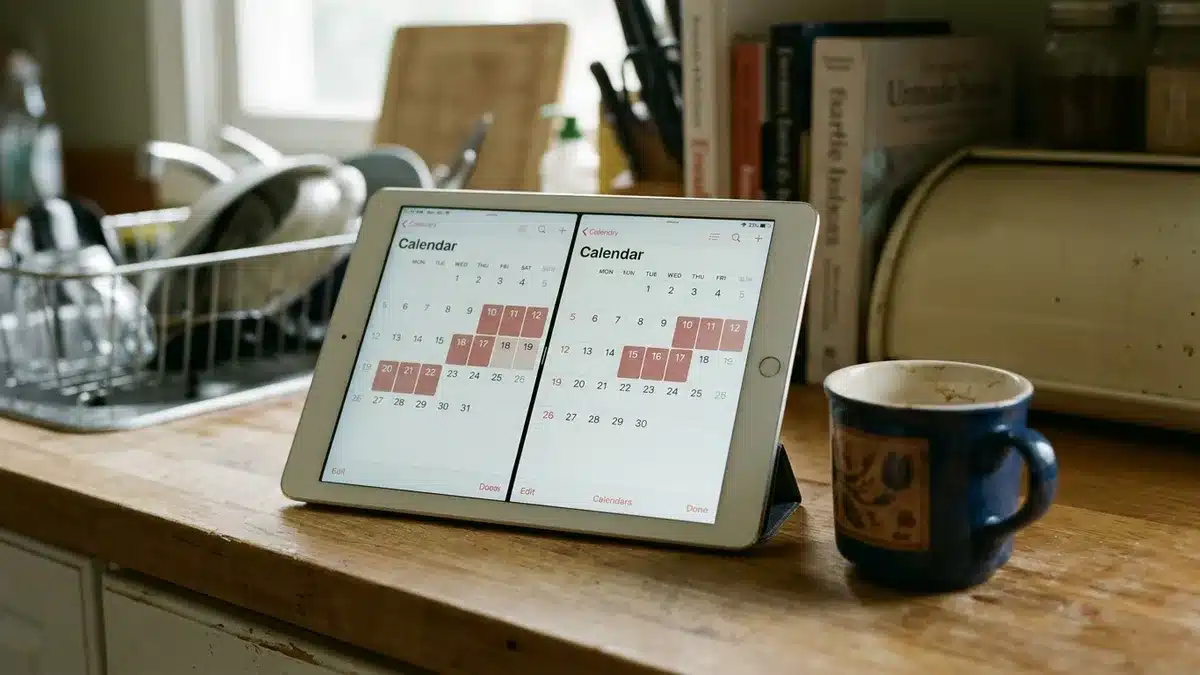
Calendars fall out of sync when one connection updates later than another, when two connections feed the same calendar, or when a listing is mapped to the wrong unit. Stale iCal links are the most frequent cause, because they refresh on a schedule rather than instantly.
Work through these checks in order:
- Stale availability: confirm whether the connection is iCal or API, check the last refresh time, and use Airbnb’s Refresh option.
- Duplicate connections: remove leftover iCal links between platforms so only the PMS feeds each calendar.
- Wrong unit match: re-check listing IDs, especially where one property has different names on each platform.
- Timezone mismatches: if arrivals appear a day early or late, compare the property timezone in the PMS with the platform settings.
- Failed rate or content updates: check the integration permissions, and look for pricing or minimum-stay rules in the PMS that conflict with platform-side settings.
After any fix, make a test change and confirm it lands on both platforms. If you manage from a distance, our notes on tactics for managing your short-term rental properties remotely cover the monitoring routines that catch problems early.
Step 7: How Do You Choose a PMS for Airbnb and Vrbo?
The best PMS for an Airbnb and Vrbo host is the one whose connections to both platforms carry the fields you rely on, at the speed your booking volume needs. No product suits every portfolio, so judge each candidate against the same integration questions.
Put these to every vendor:
- Is the Airbnb and Vrbo connection API-based or iCal-based?
- Which fields sync: rates, minimum stays, content, messages?
- Can I set channel-specific rates?
- How are cancellations and modifications passed on, and how quickly?
- Can I map one property to different listing IDs on each platform?
- Does Vrbo messaging work through your integration, or only inside the platform?
- Does it connect to a direct booking website?
For several listings across both platforms, prioritise unit mapping over long feature lists. Conflict handling matters just as much. A look at the tech behind handling 350 units across six markets shows why the connections matter more than the dashboard. In-stay guest messaging usually lives in the PMS, and guest services software is worth reviewing alongside it.
Boostly integrates with 27+ PMS platforms, so you rarely need to switch systems to add a direct channel.
Step 8: How Does a Direct Booking Website Fit Into the Same Sync?
A direct booking website sits on the same calendar as your Airbnb and Vrbo listings. It reads availability and pricing from your PMS, so a night sold anywhere closes everywhere. It adds a channel you own without adding a calendar you have to maintain.
The commercial case is simple. Take an illustrative £200 night: a 15% commission is £30, and ten such nights a month is £300 you never see.
Be realistic about timing. Direct bookings will not replace Airbnb on day one, and most hosts build the share over months. Airbnb and Vrbo stay useful for discovery, and your site converts guests who already know you. Boostly’s guarantee reads: “You will get to 65% direct bookings in a year.”
Past guests are the cheapest bookings you will get. New members have CRM access within 24 hours of signing up, and automated follow-up brings guests back without a spreadsheet. Our guide on how to build a direct booking website covers the build in more depth.

Step 9: Which Checklist Confirms Your Sync Is Ready to Go Live?
A pre-launch sync checklist is a short list of checks that proves your Airbnb and Vrbo calendars agree with your direct calendar before guests rely on them. Run it after the first connection and again after any major change, such as adding a property or switching tools.
- Choose your PMS as the master calendar and stop editing availability on the platforms.
- Confirm whether each Airbnb and Vrbo connection runs over API or iCal.
- Record existing bookings and owner blocks on every platform.
- Remove old iCal links between platforms to avoid duplicate connections.
- Authorise each account and map every unit to its listing ID.
- Choose your sync scope: availability, rates, minimum stays and content.
- Test in both directions with a blocked night and a booking, and note how long each takes.
- Connect your direct booking website to the PMS and confirm it shows the same availability and pricing.
As of 2026, hosts with multiple listings gain the most from running this checklist on a schedule, not once. If you want a second pair of eyes on it, book a demo. We will check how your PMS connects and what real-time sync looks like for your portfolio.
Frequently Asked Questions
Is there a tool that integrates direct booking management with my current property software?
Yes. Boostly builds a direct booking website for short-term rentals and integrates with 27+ property management systems. It syncs listings and availability in real time, and pricing too. You keep your PMS and your Airbnb and Vrbo listings. Ask in a demo how your specific PMS connects.
The best fit is the system whose Airbnb and Vrbo connections carry the fields you need, such as availability, rates, minimum stays and reservations. Prioritise unit mapping and conflict handling over long feature lists. An API-based connection matters too. Test a candidate on one listing before moving your whole portfolio.
It depends on the connection. An iCal link generally shares only booked and blocked dates. An API connection from a PMS can typically also carry rates and rules, plus reservation details. Exact fields vary by PMS and platform, so confirm them with your vendor.
What is the difference between a PMS and a channel manager?
A PMS manages reservations and guests, and it runs your calendar. Daily operations sit there too. A channel manager distributes availability and rates to platforms such as Airbnb and Vrbo. Bookings flow through it as well. Many PMS products bundle one, and Boostly is neither: it connects to your PMS and powers your direct booking website.
How long does it take for calendar changes to sync?
Calendar feeds refresh on each platform’s schedule, as Step 3 sets out, so changes can take from 30 minutes to a few hours. API connections typically update in minutes, but speed varies by PMS. Use Airbnb’s Refresh option and run a test change to measure your own timing.
No platform is risk-free, so spreading demand works better than swapping one platform for another. Vrbo adds a second marketplace, and a direct booking website adds a channel you control, with your own guest data. With Boostly you keep your OTA listings while building that direct channel.
It depends on your PMS and how it integrates with Vrbo, so confirm before you buy. Many setups handle in-stay messaging inside the PMS. Marketing follow-up sits outside it, as do repeat-booking messages. Boostly covers the marketing and follow-up side through its CRM and automation.
Conclusion: Keep One Calendar and Test It in Both Directions
A property management system syncs with your Airbnb and Vrbo listings by acting as the master calendar: it pushes availability, rates and rules out, and pulls reservations, changes and cancellations back in. API connections are faster and richer than iCal feeds, but either works if you map units correctly and test in both directions. Start with one source of truth, run the checklist in Step 9, then add a direct channel to the same sync.
If you want that sync to feed a site you own, Book a Demo with Boostly. We will check how your PMS connects across our 27+ integrations, show you real-time syncing of listings, availability and pricing, and walk through the 35-day setup for your direct booking website. You keep your Airbnb and Vrbo listings and gain a channel where you keep the margin and the guest relationship.