Setting up Airbnb involves creating a host account, verifying your identity, building a listing with photos and pricing, and publishing it, a process that typically takes about 30 minutes once you have your property details and photos ready. The harder part isn't the setup form. It's what you do after your listing goes live.
Key Takeaways
- Creating an Airbnb listing takes roughly 30 minutes from account creation to publish, assuming you already have photos and property details prepared.
- Airbnb charges a host-only fee of 15.5% on a $2,000 booking, which works out to $310 in commission on that single reservation, according to Houfy's 2026 fee data.
- Listings stay in a pending state after publishing until identity verification clears, per Airbnb's own Help Center guidance.
- Guests who book directly return 28.3% of the time, compared with only 8.9% through Airbnb, according to a 2026 hostAI report.
- Local short-term rental rules, zoning, and HOA restrictions vary widely, so verify legality before you list, not after your first booking.
- Boostly helps hosts who've already set up on Airbnb build a direct booking website alongside it, so a growing share of future bookings skip the 15.5% commission entirely.
If you're reading this in 2026, you're probably deciding whether to list your spare room, your renovated basement, or an investment property you just closed on. The mechanics of setting up an Airbnb account haven't changed much in recent years, but the market around it has. The global short-term vacation rental market is projected to reach roughly $145.73 billion in 2026, according to Mordor Intelligence, up from about $131.45 billion in 2026. That growth means more competition for the same guest searches, which makes getting your setup right the first time more important than it used to be.
This guide walks through every stage of the Airbnb setup process: account creation, the listing form itself, pricing, house rules, and the legal groundwork most guides skip entirely. We'll also flag where the standard setup process leaves money on the table, because at Boostly we work with hosts every day who nailed their Airbnb setup but never built a plan for what comes after it: reducing how much of their revenue Airbnb's commission structure quietly absorbs.
Expect specific, sequential instructions here, not vague advice. By the end, you'll know exactly what fields Airbnb asks for, what the platform recommends for photos and pricing, and what most first-time hosts get wrong before their first guest ever checks in.
1. Create Your Airbnb Host Account and Verify Your Identity
Setting up an Airbnb host account starts with a sign-up step using a phone number, email address, or a linked account through Google, Facebook, or Apple ID. This is the foundation every other setup step depends on, so accuracy here matters more than speed.
Once you've created your account, Airbnb requires identity verification before your listing can go live. This typically means uploading a government-issued ID and, in many cases, a selfie match. Your listing will sit in a pending state until this clears, a detail confirmed in Airbnb's own Help Center documentation on creating a listing.
Verification exists to protect guests and hosts alike, but it also means you can't rush from signup to live listing in the same afternoon if your ID upload gets flagged for manual review. Build in a buffer of a day or two if you're working toward a specific launch date, such as a holiday weekend or a local event you know will drive demand.
One thing worth deciding at this stage, before you type a single word into the listing form: are you setting up Airbnb as your only booking channel, or as one channel among several? Hosts who treat Airbnb as their entire strategy tend to hit a ceiling on margin. Hosts who plan from day one to eventually route bookings through a direct channel as well tend to build stronger, more resilient businesses over their first 12 months.
2. What Property Details Does Airbnb Ask For?
Airbnb's listing form asks for your property type, the space you're offering, and guest capacity details, specifically the number of guests, bedrooms, beds, and bathrooms. These fields determine how your listing gets categorized and filtered in guest searches.
Property type options include apartment, house, secondary unit, unique space, bed and breakfast, and boutique hotel. Selecting the wrong category, for example listing a converted garage as a “house” instead of a “secondary unit”, can hurt your search relevance because Airbnb's algorithm matches guest filters against these exact categories.
Next comes the space designation: entire place, private room, or shared room. This single choice changes your entire guest pool. Entire-place listings attract families and groups willing to pay more for privacy. Private-room listings attract budget-conscious solo travelers and tend to command a lower nightly rate but often see higher occupancy in urban markets.
For non-standard spaces like cabins, boats, converted barns, or a secondary unit above a garage, the “unique space” category exists specifically for this. Don't force an unusual property into a standard house or apartment category just because it feels simpler. Guests searching for a treehouse or a boat stay use different filters entirely, and miscategorizing your unique space means you're invisible to the exact guests most likely to book it at a premium.
Address accuracy matters beyond just guest navigation. Airbnb uses your address to determine which local regulations, tax collection agreements, and safety requirements apply to your specific listing, which is where the next section becomes critical before you publish anything.
How Do I Start an Airbnb for Beginners Without Breaking Local Rules?
Starting an Airbnb as a beginner requires confirming your property is legally permitted for short-term rental use before you accept your first booking, not after. This step gets skipped constantly in generic setup guides, and it's the single most consequential gap in most “how to start Airbnb” content available today.
Short-term rental legality depends on three overlapping layers: municipal zoning and permit rules, homeowners association or condo board restrictions, and state or local tax registration requirements. A property can be zoned correctly by your city and still be prohibited outright by an HOA covenant, or vice versa.
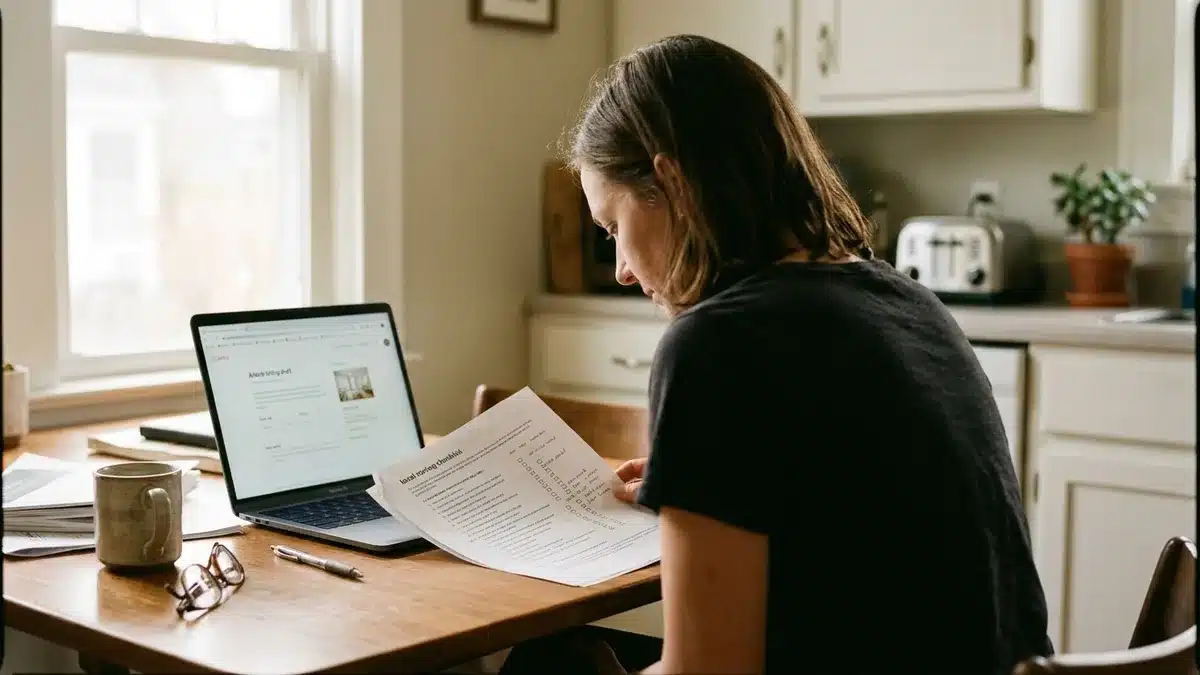
Here's a practical pre-listing legal checklist:
- Contact your city or county's planning or business licensing office directly and ask specifically about short-term rental permits, occupancy limits, and any required inspections.
- Read your HOA covenants or condo bylaws in full, specifically searching for language about “rentals,” “leasing,” or “occupancy duration,” not just skimming the summary.
- Check whether your state or municipality requires you to register for and collect occupancy or lodging tax separately from income tax.
- Confirm your homeowner's insurance policy covers short-term rental activity, since standard policies often exclude it entirely.
- If you're a renter rather than an owner, get written permission from your landlord before listing, since most leases prohibit subletting through platforms like Airbnb without explicit consent.
Regulations vary enormously by city and even by neighborhood within the same city, and the specific permit names, fees, and caps change periodically. Rather than relying on a blog post for exact figures, verify current requirements directly with your local planning department or municipal licensing office before you publish. This single step prevents the most expensive mistake a new host can make: building a listing, taking bookings, and then getting shut down mid-season.
How Do I Write and Photograph My Airbnb Listing?
Writing an effective Airbnb listing means pairing high-quality, landscape-orientation photos with a title under roughly 50 characters and a description broken into clear sections. Airbnb's own guidance recommends starting with your strongest exterior or primary living space shot as the cover image, since that's what guests see first in search results.
Photos should use natural light wherever possible, and Airbnb specifically advises against heavy filters, which can make a space look artificially different from what guests experience on arrival. That mismatch is one of the fastest ways to earn a low review after an otherwise good stay.
Your title has roughly 50 characters to work with, so it needs to highlight what actually makes your property unique rather than generic language like “cozy home” or “great location.” A title like “Sunlit Loft, Steps From Downtown Trailhead” does more work than “Nice Apartment in the City.”
Descriptions perform best when structured into distinct sections: “The space,” “Guest access,” and “Other things to note.” This structure isn't arbitrary. It mirrors exactly how guests scan a listing before booking, first understanding what they're getting, then what they can access, then any caveats that might affect their decision.
Be specific and honest in “Other things to note.” If there's a shared driveway, a steep staircase, or street noise on weekend nights, say so. Guests who arrive informed leave better reviews than guests who feel surprised, even when the surprise is minor.
How Much Money Is Needed to Start an Airbnb?
Startup costs for an Airbnb listing vary significantly depending on whether you already own furnished, guest-ready property or need to furnish and equip a space from scratch. There's no single verified industry figure for a “typical” startup cost, because the range between a spare bedroom and a newly purchased investment property is too wide to average meaningfully.
Instead of chasing a specific dollar figure, budget across these concrete categories:
- Furnishing and setup: beds, linens, kitchenware, and basic decor if the space isn't already guest-ready.
- Safety compliance: smoke detectors, carbon monoxide detectors, fire extinguishers, and a first aid kit, several of which may be required by local regulation.
- Cleaning and turnover: either your own time or a cleaning service between guest stays, plus supplies.
- Lock and access systems: a smart lock or lockbox for self-check-in, which most guests now expect as standard.
- Insurance: a policy rider or dedicated short-term rental policy, since standard homeowner coverage often excludes this use.
- Permits and registration fees: varies by city, so confirm the current figure with your local licensing office.
- Ongoing commission: Airbnb's host-only fee runs at 15.5% on many bookings, meaning a $2,000 booking nets $310 in platform commission, per Houfy's 2026 data.
That last line item is the one hosts underestimate most. It's not a one-time cost. It recurs on every single booking, indefinitely, for as long as that reservation routes through Airbnb.
What Pricing Strategy Should I Use When I Set Up Airbnb?
Airbnb pricing setup starts with choosing a base nightly rate and optionally enabling Smart Pricing, a tool that automatically adjusts your rate within a range based on demand signals. Many hosts use Smart Pricing as a temporary floor while they learn local demand patterns, then transition to manual or custom dynamic pricing once they understand their market.
A widely used tactic among new hosts is offering an introductory discount, commonly around 20%, for their first three guests. The logic is straightforward: a lower price attracts early bookings, and early bookings generate the reviews that make future guests comfortable booking a listing with no track record.
To set a competitive nightly rate without over-relying on Airbnb's automated tool, pull up ten to fifteen comparable listings in your immediate area, matching property type, guest capacity, and amenities as closely as possible. Note their listed rates, then check how far in advance they're booked, a rough proxy for demand. A comparable property booked solid three weeks out is priced correctly or slightly low. One with wide-open availability next weekend is likely priced too high for current demand.
Set minimum and maximum stay requirements based on your goals, not just Airbnb's defaults. A one-night minimum maximizes booking volume but increases turnover workload. A three-night minimum reduces cleaning frequency and appeals to guests planning longer trips, often at a better rate per stay.
This is also the point in the process where the recurring 15.5% commission becomes a real strategic variable, not just a line item. Every dynamic pricing decision you make on Airbnb still gets that commission applied on top. That's exactly the gap Boostly was built to address: by helping hosts build a direct booking website that runs alongside their Airbnb listing, a share of future bookings can bypass that commission entirely, without requiring you to delist from Airbnb.
What Amenities and House Rules Should I Set Before Publishing?
House rules and amenity listings define guest expectations before they ever book, covering check-in and check-out times, quiet hours, pet policy, and smoking policy. These fields aren't optional formalities. They're the primary defense against the disputes that generate bad reviews.
Configure your calendar before publishing by blocking any personal-use dates and setting your check-in window realistically. If you or a cleaner needs a same-day turnover, a 3pm check-in and 11am check-out gives four hours of buffer, tight but workable for most cleaning services.
Amenities you list should be verified true at the moment you publish, not aspirational. Listing “fast WiFi” when your connection struggles with video calls creates an immediate credibility gap once guests arrive and test it themselves. If reliable connectivity matters to your target guest, and for remote workers and long-stay guests it increasingly does, it's worth reading our piece on how strong guest WiFi affects satisfaction scores before you finalize what you promise in the listing.
Pet policy deserves specific attention. A blanket “no pets” rule eliminates a meaningful segment of travelers, while an unrestricted “pets welcome” policy without a cleaning fee or pet deposit can create real turnover cost. A middle path, pets allowed with a modest additional cleaning fee, tends to work well for most single-family and entire-place listings.
What Should I Do Before Listing a Non-Standard Space Like a Cabin or Boat?
Non-standard spaces like cabins, boats, castles, and converted secondary units require additional pre-listing steps beyond Airbnb's basic category selection, specifically around safety documentation and guest expectation-setting. Generic setup guides treat “unique space” as a single checkbox, but the operational reality differs enormously by property type.
For a boat listing, you'll typically need proof of vessel registration, documentation of safety equipment like life jackets, and a clear policy on weather-related cancellations, since a marina slip location can be affected by conditions that don't touch a land-based property at all.
For a cabin in a rural or wooded setting, address clarity becomes critical since GPS navigation frequently fails on unpaved roads. Include specific driving directions in your “Other things to note” section, not just a pin on a map. Also flag well water, septic systems, or limited cell signal upfront. These aren't defects, but they're details guests need before arrival, not after.
For a castle, converted barn, or similarly unusual structure, guests often book specifically for the novelty, which raises the bar on photo quality and description detail. Architectural features that make the space distinctive, exposed stone walls, a turret, original beams, deserve their own mention rather than being buried in a generic amenities list.
Across all non-standard property types, the common thread is this: your description and photos need to answer questions a standard house listing never has to address. Skipping this step is one of the biggest content gaps in most beginner Airbnb guides, and it's exactly where non-standard hosts lose bookings to better-prepared competitors.
What Should I Set Up Before My First Guest Arrives?
A pre-launch operations checklist covers cleaning logistics, lock system setup, and any co-hosting agreements, all of which should be finalized before your listing accepts its first booking, not scrambled together after. This is the step most first-time hosts treat as an afterthought.
Cleaning needs a defined process: who cleans, on what schedule, and what happens if a same-day turnover falls through. If you're not cleaning yourself, get a specific service or individual under agreement before you go live, not identified as “someone I'll find later.”
Lock systems matter for both security and guest convenience. A smart lock with a unique guest code for each reservation eliminates physical key handoffs and lets you revoke access automatically at checkout, a meaningful safety improvement over a hidden physical key.
If you're bringing on a co-host, whether a property manager, a friend, or a professional service, put the agreement in writing before listing. Specify who handles guest messaging, who handles emergencies, and how revenue or fees are split. Verbal agreements about co-hosting responsibilities are a common source of disputes once bookings start coming in and the workload becomes real.
Finally, decide how you'll handle guest communication before check-in, during the stay, and after checkout. Manually messaging every guest at every stage becomes unsustainable once you're managing more than one or two properties simultaneously, which is a workflow problem worth solving before it becomes a daily burden rather than after.
What Is the Downside of Owning an Airbnb?
The main downside of owning an Airbnb is the combination of recurring platform commission, ongoing operational workload, and dependence on a single company's algorithm and policies for your booking volume. None of these are dealbreakers, but all three compound over time if left unaddressed.
On commission specifically: Airbnb's host-only fee structure runs at 15.5% on many bookings, meaning $310 disappears from a single $2,000 reservation, according to Houfy's 2026 published fee data. Multiply that across a full year of bookings and the total is substantial, particularly for hosts running multiple units.
Operational workload is the second downside, and it's the one new hosts consistently underestimate. Guest messaging, cleaning coordination, pricing adjustments, and review management all require ongoing attention. What feels manageable at one property becomes a second job at three or four.
The third downside, platform dependence, gets discussed less often but matters more long-term. When Airbnb changes its search algorithm, its fee structure, or its review policy, and it periodically does, your entire revenue stream is exposed to that single decision. Guests who book directly return at a rate of 28.3%, compared with just 8.9% through Airbnb, according to a 2026 hostAI report, which tells you something important: repeat guests are far more valuable when they book you directly rather than through a channel you don't control. This is precisely why we built Boostly around helping hosts capture that repeat-guest relationship on their own website, rather than leaving it entirely inside Airbnb's ecosystem.
What Is the “75-55” Idea Some Hosts Mention About Airbnb Pricing?
There is no established, verified industry rule known as a “75-55 rule” for Airbnb hosting or pricing, and no authoritative source, including Airbnb itself, publishes a formal framework by that name. If you've seen this referenced online, treat it with skepticism rather than as settled guidance.
What matters far more than any named rule is understanding your specific market's booking window and occupancy pattern. Some markets see guests booking 60 or more days out; others see last-minute bookings dominate. Pull your own comparable listings' data, as described in the pricing section above, rather than applying a generic numeric formula that wasn't verified against your city or property type.
If you want a grounded, numbers-based approach to STR growth instead of unverified rules circulating online, our insights on fine-tuning your STR strategy walk through how to read your own market data rather than relying on borrowed formulas from another host's very different property and city.
Airbnb Setup vs. Direct Booking Setup: A Practical Comparison
Comparing an Airbnb-only setup against a dual Airbnb-plus-direct-booking setup comes down to commission exposure, guest data ownership, and repeat-guest economics. Both paths require the same initial listing work described above, but they diverge sharply in what happens after your first guest checks out.
| Factor | Airbnb-Only Setup | Airbnb + Direct Booking Setup |
|---|---|---|
| Commission per booking | 15.5% host-only fee applies to bookings routed through Airbnb (Houfy, 2026) | Same fee still applies to Airbnb-sourced bookings; direct bookings bypass it |
| Repeat guest return rate | 8.9% of guests rebook through Airbnb (hostAI, 2026) | 28.3% of guests rebook when booking directly (hostAI, 2026) |
| Guest data ownership | Guest contact details remain largely within Airbnb's platform | Guest data is captured directly via a CRM you control |
| Setup time to launch | Roughly 30 minutes for the core listing flow | Airbnb listing plus a direct booking site, live within 35 days with Boostly |
| Marketing control | Limited to Airbnb's search algorithm and on-platform tools | Full control over email, SMS, and repeat-guest marketing |
Neither approach requires abandoning the other. Boostly's model specifically keeps your Airbnb listing active while layering a direct booking channel on top, so you're not choosing between the two, you're stacking them.
How Do I Optimize My Airbnb Listing for More Bookings?
Optimizing a live Airbnb listing means treating your initial setup as a first draft, then refining photos, pricing, and response times based on actual guest behavior over your first several bookings. Setup gets your listing live; optimization is what turns it into a consistent earner.
Response time matters more than most new hosts expect. Airbnb's search ranking factors reward hosts who respond quickly and consistently, so build a habit of checking messages at least a few times daily during your first months while you're still establishing your response rate.
Reviews compound. Your first five to ten reviews carry disproportionate weight in a guest's decision to book an otherwise unproven listing, which is exactly why the introductory discount tactic mentioned earlier exists: it trades some early margin for the review volume that unlocks full-price bookings later.
Photo refresh matters seasonally. A cover photo showing snow-covered mountains reads oddly to a guest browsing in July. If your property changes meaningfully with the seasons, whether that's a pool that's only usable in summer or a fireplace that's the main draw in winter, update your primary photos to match.
Once your Airbnb listing is performing consistently, that's the moment to think seriously about a companion direct booking site. Our guide on how to build a direct booking website walks through exactly what a converting site needs, which matters because a generic template website rarely converts traffic into completed bookings the way a purpose-built one does.
Frequently Asked Questions
How do I become an Airbnb host?
Becoming an Airbnb host requires creating an account, completing identity verification, and building a listing with your property type, photos, description, and pricing. The full process typically takes about 30 minutes if you already have photos and property details ready, though your listing stays pending until identity verification clears.
How much does it cost to set up an Airbnb listing?
There's no single verified startup figure, since costs depend heavily on whether your property is already furnished and guest-ready. Budget for furnishing if needed, safety equipment, cleaning setup, a smart lock, and short-term rental insurance, then factor in the ongoing 15.5% host-only commission on bookings, per Houfy's 2026 fee data.
Do I need a permit to run an Airbnb?
Many cities and counties require some form of short-term rental permit, registration, or occupancy tax collection, but requirements vary enormously by location and change periodically. Contact your local planning or licensing office directly to confirm current requirements before publishing your listing.
How long does it take for an Airbnb listing to go live?
The core listing form takes roughly 30 minutes to complete if your photos and details are ready, but your listing remains in a pending state until Airbnb completes identity verification. Build in a buffer of a day or two before your intended launch date.
Can I set up Airbnb and still build a direct booking website?
Yes, and this is increasingly common practice among hosts looking to reduce commission exposure. Boostly specifically builds direct booking websites that run alongside an existing Airbnb listing, so you keep your Airbnb visibility while also capturing bookings that skip the 15.5% commission entirely.
What is the downside of owning an Airbnb?
The main downsides are the recurring 15.5% host-only commission on Airbnb bookings, the ongoing operational workload of guest messaging and cleaning coordination, and dependence on a single platform's algorithm for your booking volume. Guests who book directly return 28.3% of the time versus 8.9% through Airbnb, according to a 2026 hostAI report.
What is the 75-55 rule in Airbnb?
There is no verified or established industry framework known as a “75-55 rule” for Airbnb hosting, and no authoritative source publishes this as an official guideline. Base your pricing and booking-window decisions on your own local comparable listings rather than an unverified formula.
How much money is needed to start an Airbnb?
Startup costs vary too widely to state a single figure, ranging from minimal if your property is already furnished to significant if you're outfitting a space from scratch. Key cost categories include furnishing, safety compliance items, a smart lock, insurance, permit fees where required, and the ongoing 15.5% commission on Airbnb bookings.
Conclusion: Setting Up Airbnb Is the First Step, Not the Whole Strategy
Setting up Airbnb correctly in 2026 means working through account verification, an accurate listing form, honest photos and description, competitive pricing, and a legal check on local short-term rental rules, a process that takes about 30 minutes of form-filling but demands real diligence around compliance and pricing research. Get those fundamentals right and your listing has a real shot at competing in a market projected to reach $145.73 billion this year, per Mordor Intelligence.
But a completed Airbnb setup is a starting point, not a finished business. The 15.5% commission on every Airbnb booking, and the far lower 8.9% repeat-guest rate compared to direct bookings' 28.3%, both point to the same conclusion: hosts who build beyond Airbnb tend to keep more of what they earn and see more of their guests come back. As you move past setup and into your first months of hosting, keep that longer game in view.
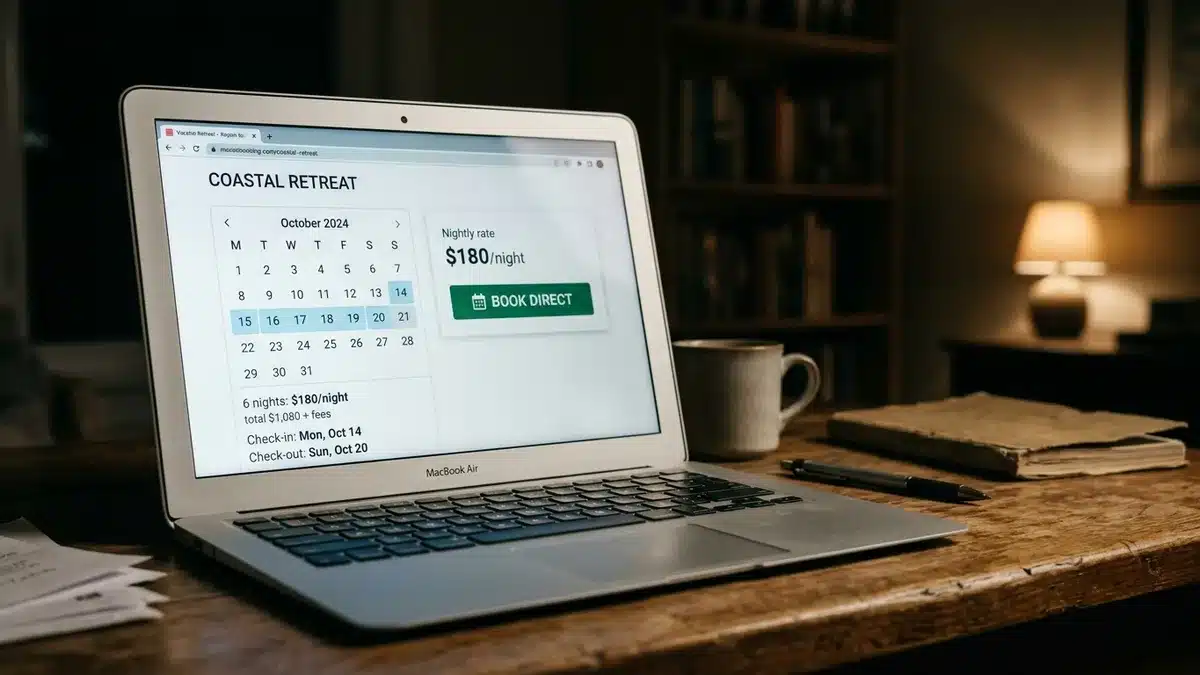
Once your Airbnb listing is live and taking bookings, the next move is building the channel that keeps more of your revenue: a direct booking website that works alongside it, not instead of it. Book a demo with Boostly to see how a done-for-you site, live within 35 days, plus built-in CRM and weekly coaching, can turn your Airbnb guests into repeat direct bookings.