
You can build a vacation rental website without coding by choosing a no-code platform with a booking engine and live calendar sync, then adding property pages and trust signals guests recognise from major booking platforms. Self-building suits one or two simple listings. A done-for-you build suits hosts who want a site that converts.
Key Takeaways
- A direct booking website is a site you own where guests check live availability, see the total price and pay you without an OTA taking a commission.
- No-code builders handle the design. The booking engine, calendar sync, payment processing and trust content decide whether the site converts.
- The real cost includes the subscription, payment processing fees, domain renewal, taxes and the time you spend maintaining calendars and pricing. Check each provider’s current pricing page.
- Double bookings are the biggest operational risk of a self-built site, so run a test booking on every channel before you publish.
- Keep your existing OTA listings live. The website is an additional channel and the place where you capture guest data for repeat stays.
- Boostly builds a done-for-you direct booking website with no coding required, live within 35 days, with 27+ PMS integrations and a guarantee of 65% direct bookings within 12 months or your money back plus $1,000.
Every night booked through an OTA carries a commission, and a website you own is the most direct way to stop paying it on repeat guests and referrals. In 2026 you do not need a developer to get one. The hard part is knowing which pieces a converting site needs, because a good-looking page with no booking engine earns nothing.
At Boostly we work with a community of over 2,000 STR hosts and business owners, and the pattern repeats: strong occupancy, thin margins, and a website that either does not exist or does not take bookings. Most hosts start with a generic template, bolt on a booking button, and wonder why nothing converts.
This guide covers the build steps, the features that matter, the no-code routes, real costs, double booking prevention, SEO, trust, launch checks and what to do once the site is live.
What Is a Direct Booking Website for a Vacation Rental?
A direct booking website for a vacation rental is a site you own where guests browse your properties, check live availability, see the full price and pay you without an online travel agency in the middle. You pay card processing fees instead of an OTA commission, and you keep the guest’s contact details.
That differs from a brochure site with photos and an enquiry form. An enquiry-only page can work for a single cabin with slow turnover, but it forces you to quote by email and loses guests who want to book at 11pm on their phone. Instant booking is what turns a website into a sales channel.
This is the category we built Boostly for. It sits alongside your existing OTA listings rather than replacing them, so you add a channel without giving up OTA visibility. Your OTA profiles keep sending you new guests, while the website catches the repeat stays and referrals that would otherwise pay commission a second time.
The practical test is simple. If a guest can land on your site, pick dates, see a final price and pay without emailing you, you have a direct booking website. If any of those steps needs a human reply, you have a brochure.
How Do I Build a Vacation Rental Website Without Coding, Step by Step?
Building a vacation rental website without coding takes nine steps: define what the site must do, pick a platform, register a domain, build property pages, connect payments, sync calendars, add trust and legal content, test a booking, then publish and promote. A basic version can go live quickly. Getting it to convert takes more care.
- Define the job. Decide whether you need instant booking or enquiries only, and whether the site covers one property or a portfolio.
- Choose a platform type. General-purpose builder, rental-specific platform or done-for-you build; the comparison below shows how they differ.
- Register a custom domain. Use your brand name, not a property nickname, so the site can grow with you.
- Build each property page. Add original photos, a written description, amenities, rates and house rules.
- Connect the booking engine and payments. Confirm it shows availability, calculates the total price and takes card payments.
- Sync your calendars. Connect your PMS or channel calendars so your OTA listings and your site never sell the same night.
- Add trust and legal content. Reviews, contact details, a map, booking terms and a privacy policy.
- Run a test booking. Book a real date, check every calendar updates, then cancel it.
- Publish and promote. Send the link to past guests, add it to your OTA profiles where the rules allow, and keep updating the content.
In our experience, steps five and six are where self-built sites stall. Templates are easy; payments and sync are where hosts lose weekends. We cover the wider strategy in our guide to building a direct booking website, and Boostly handles those two steps for you as part of the build.
Budget your time honestly. Most of the first weekend goes on photos and copy, and the second goes on payments and sync. Plan a third for testing, because the faults you find there are the ones guests would otherwise find for you.
What Features Should a Vacation Rental Website Include?
A vacation rental website should include a booking engine, an availability calendar, secure payment processing, calendar or PMS sync, a dedicated page per property, editable SEO fields, a mobile-friendly layout and visible trust content such as reviews, a map and contact details. Without the first four, you have a brochure, not a booking channel.
| Feature | What it does | What to check before you commit |
|---|---|---|
| Booking engine | Shows availability, calculates the price and lets guests book | Handling of taxes, fees and minimum stays |
| Calendar sync | Aligns your website and OTA calendars | How often it updates and whether it connects to your PMS |
| Payment processing | Takes card payments securely | Processor fees, payout timing and refund handling |
| Property pages | Photos, descriptions, amenities, rates and house rules | Whether each property gets its own page |
| SEO controls | Page titles, meta descriptions and image alt text | Whether you can edit all three without code |
| Mobile layout | Works properly on phones | Test checkout on a real phone |
| Trust content | Guest reviews, maps and contact forms | How easily you can add and update them |
Notice what the table does not list: animation, video backgrounds and clever page effects. They are nice extras, and none of them takes a booking. We design Boostly sites around conversion first, which is why the booking and sync layer is built in rather than added later with plugins.
When you compare providers, ask each one to show you a live checkout on a phone. A demo of the editor tells you how pretty the site can look. A demo of checkout tells you whether it earns money.
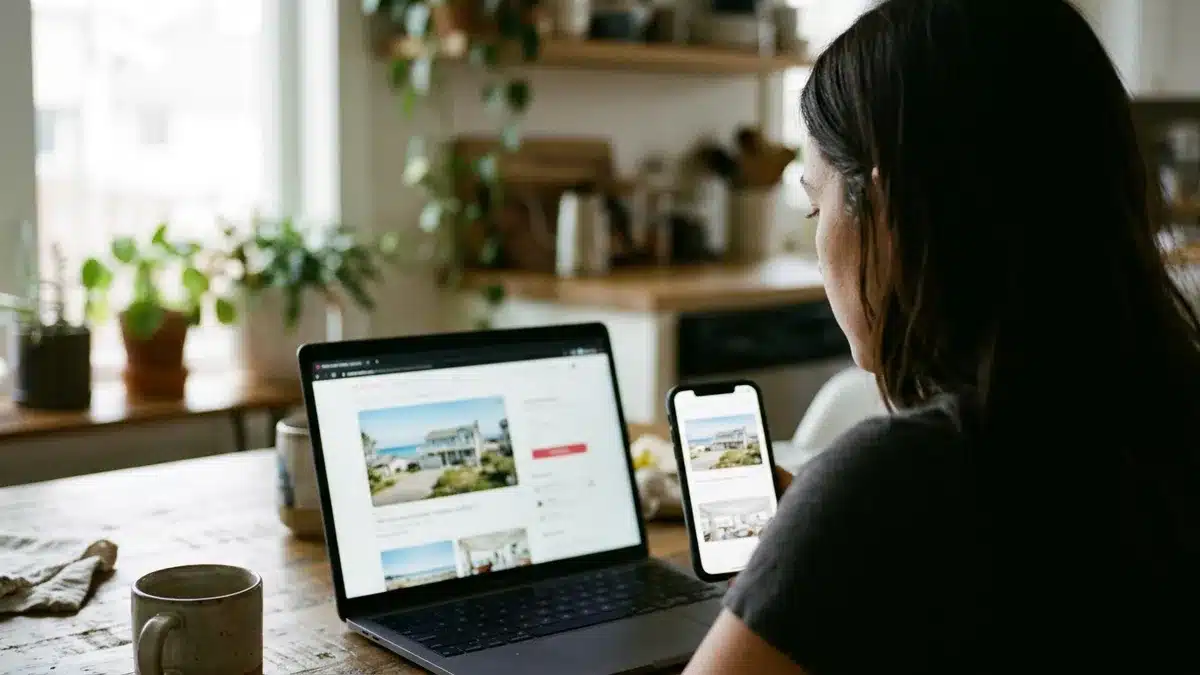
Which No-Code Option Fits: General Builder, Rental Platform or Done-for-You?
There are three realistic no-code routes: a general-purpose website builder, a vacation-rental-specific platform, or a done-for-you build. The right one depends on your property count, budget and how much time you can spend on setup and maintenance. A simple enquiry-only site is a fourth, minimal option.

| Route | Best for | Main trade-off | Your effort |
|---|---|---|---|
| General-purpose website builder | One simple property and full design freedom | Booking engine and calendar sync usually come from add-ons | High; you assemble and maintain each piece |
| Vacation-rental-specific platform | Hosts who want booking tools included in a self-service product | You still write the copy, handle SEO and maintain the site | Medium to high |
| Done-for-you build (Boostly) | Hosts and managers who want a conversion-focused site without doing the build | You work to a provider’s timeline instead of launching a draft tonight | Low; setup is handled and coaching is included |
| Enquiry-only brochure site | A single property with slow turnover | Manual quoting and no instant booking | Low to set up, higher per booking |
Our opinion: a general-purpose builder is the weakest choice for anyone who wants real direct bookings, because every missing piece becomes your problem. If you have one property and enjoy tinkering, a rental-specific platform is a fair starting point.
Past a handful of units, or if your time is worth more than the build, a done-for-you route pays for itself in hours saved. The best option for most multi-property hosts is the done-for-you build, because the booking engine and sync arrive already connected and tested.
Choose by asking where your hours are scarce. If you have evenings to spare and one cabin, learn a platform. If you run a portfolio or a day job, pay someone to carry the setup.
How Much Does a Vacation Rental Website Builder Cost?
A vacation rental website builder typically costs a recurring subscription, plus payment processing fees on each booking, a domain renewal and the time you spend maintaining calendars and pricing. Exact prices vary by plan and change often, so check each provider’s current pricing page before you compare.
Payment processing is the line hosts forget. Hostfully’s June 2026 data shows 91% of vacation rental operators use payment processing software, which tells you card fees are a standard cost of running direct bookings. Build them into your rate maths from day one.
- Subscription: monthly or annual, sometimes priced per property.
- Payment fees: charged per transaction by the processor.
- Taxes and fees: occupancy tax rules depend on your location, so confirm what your booking engine can collect.
- Refunds and cancellations: check whether processing fees are returned when you refund a guest.
- Your time: keeping calendars, rates and content current is a recurring task, not a launch task.
An OTA commission grows with your revenue, while a subscription stays closer to fixed. The more bookings you route direct, the better that trade looks. Boostly helps hosts keep the 15% commission they would otherwise lose on each booking moved off an OTA. As a worked example, a $1,000 stay booked through an OTA at 15% costs you $150, while the same stay booked direct costs you only the card processing fee.
The 65% direct bookings guarantee, with money back plus $1,000 if it is missed, takes much of the risk out of the cost question. Put a number on your own time too: if you spend four hours a month on calendars and rates, price those hours before you decide the DIY route is cheaper.
How Do I Stop Double Bookings After Connecting My Calendars?
Double bookings happen when two channels sell the same night before either calendar updates. To prevent them, connect your website to your PMS or channel calendars, then verify the sync with a test booking on every channel before you publish. Never trust a green tick on a settings page.
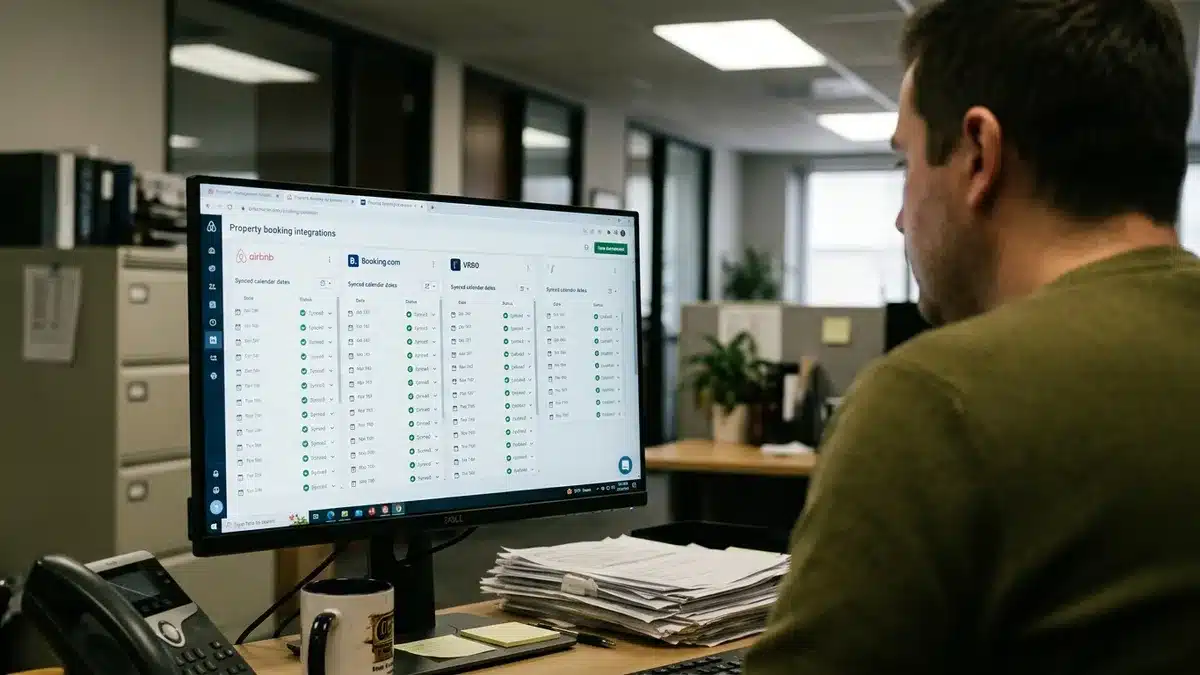
Run these checks after every new connection:
- Block a future date on your website and confirm it disappears on your OTA listings.
- Make a test booking on an OTA and confirm the website calendar closes that night.
- Ask how often each connection refreshes, because scheduled calendar links can lag behind live availability.
- Change a nightly rate and confirm the new price shows on the site.
Pricing matters as much as availability. Hostfully’s June 2026 data shows 77% of vacation rental operators use dynamic pricing software from day one, so a stale rate on your website quietly undercuts your own pricing strategy. If you manage from a distance, a repeatable test routine matters even more, and our tactics for managing STR properties remotely cover how to build one.
Boostly integrates with 27+ property management systems and syncs listings, availability and pricing in real time, so the website reads from the same source as your OTAs. Repeat the four checks monthly and after any change to your PMS, because a sync that worked in March can break after a software update in June.
How Do I Write Property Pages That Rank on Google?
Ranking a vacation rental website on Google means giving each property its own page with original descriptions, descriptive page titles, image alt text and useful local information, rather than pasting your OTA copy. Duplicated OTA text gives search engines no reason to prefer your site over the platforms it came from.
- One page per property. Each gets its own title, description and photos.
- Write for the search, not the template. Name the property type and the location guests actually search for.
- Fill in the SEO fields. Edit the page title, meta description and alt text on every image.
- Add local content. A short guide to nearby attractions, seasons and getting there gives guests and search engines something an OTA listing lacks.
- Keep it fast on mobile. Heavy image galleries that crawl on a phone cost bookings.
Be realistic about timing. Organic search takes months to build, and a new domain starts with no authority. That is why we pair SEO with direct outreach to past guests rather than waiting for Google. Boostly launches your site already structured to rank, with structured pages, fast load times and location and property-type targeting from day one, so you are not guessing at SEO settings on a DIY builder.
A useful habit: write the page title the way a guest would type the search, such as “two-bedroom cabin near Asheville with hot tub”, then check that your description answers that query in the first two sentences.
How Do I Get Guests to Trust a Direct Booking Site?
Guests trust a direct booking site when they can see proof: genuine reviews, a real contact method, the full price before checkout, secure payment and plain-English cancellation terms. Major booking platforms provide these signals by default. On your own site you have to supply every one of them yourself.
Start with the basics. Show reviews from past guests, a phone number or email that gets answered, a map, and a clear cancellation and damage policy. Display the total price early; hiding fees until the final screen is the quickest way to lose a hesitant guest.
Name and photograph the property consistently so guests who found you on an OTA recognise it. Add a short note explaining that booking direct means they deal with you, not a platform, and tell them what that gets them in practice.
We build Boostly sites to match the polish guests expect from an OTA listing, because a direct booking site that looks cheaper than the OTA version loses the booking before the price comparison even starts.
Copy review text with the guest’s first name and stay month where you have permission. Specific, dated reviews read as real, while a wall of anonymous five-star lines reads as marketing.
What Legal and Launch Checks Should I Complete Before Going Live?
Before a vacation rental website goes live, check your local short-term rental licensing rules, publish a clear privacy policy and booking terms, confirm payments run through a secure processor, and test accessibility basics. The specifics vary by location, so confirm each one with your local authority or a qualified adviser.
- Local rules: check your local short-term rental licensing and tax requirements, and whether your listing needs a permit number displayed.
- Privacy: if you store guest personal data, privacy laws such as GDPR and CCPA can apply, so you need a privacy policy and a clear way to handle data requests.
- Payments: PCI DSS compliance applies to platforms that process, store or transmit card data. A reputable hosted payment processor typically keeps card details off your own server.
- Booking terms: state cancellation, deposit, damage and house rules in plain language, and have guests accept them at checkout.
- Accessibility: check contrast, readable text sizes and keyboard navigation on your key pages.
Guest data is where self-builders get sloppy, with details scattered across inboxes and spreadsheets. Boostly gives you a built-in CRM within 24 hours of signing up, so booking and contact data lives in one place you control.
Keep a one-page launch checklist and tick it off before every new property goes live. A permit number missing from one page can cause more trouble than a typo on ten.
How Do I Get Traffic and Repeat Guests After the Site Launches?
A new vacation rental website gets traffic from past guests, referrals, local search, social profiles and a small number of owned channels, then keeps guests coming back through email follow-up. Launching is the start. Without a plan for visitors and follow-up, even a well-built site stays empty.
Repeat guests are your cheapest source of bookings. In a survey of vacation rental guests along the Gulf Coast in Southern Alabama and Northwest Florida, 89.4% of respondents were repeat visitors, according to the Journal of Travel & Tourism Insights. Your own guests are the audience most likely to book direct.
Capture their details at the point of booking, and consider a tool such as the StayFi WiFi capture system to collect guest emails legally through in-home WiFi. Then use proven email tactics, like those in this Price of Business guide on growing a vacation rental business. Check each OTA’s rules on contacting guests off-platform before you do.
A book direct marketplace can add another source of visitors, and our look at guest services software shows where automated messaging is heading. Boostly’s CRM automates email and SMS follow-up sequences, so past guests are nudged back without you chasing them by hand.
Start with one message: a thank-you email a week after checkout with a direct link and a returning-guest offer. That single email costs nothing and gives you a baseline to improve.
What Mistakes Do Hosts Make When They Build Their Own Site?
The most common mistakes when hosts build their own vacation rental website are launching without a test booking, copying OTA descriptions, hiding the total price, skipping analytics and treating the site as finished at launch. Each one is avoidable, and each one quietly costs bookings.
- No test booking. A broken checkout or a failed sync only shows up when a real guest hits it.
- Copied OTA text. Duplicate descriptions give search engines no reason to rank you.
- Hidden fees. Surprise charges at the last step send guests back to the OTA.
- No tracking. OTA dashboards only show OTA-side performance, so you cannot see your true channel mix without your own reporting.
- Set and forget. Rates, photos and reviews go stale within a season.
We built Boostly’s coaching around these gaps: weekly training calls plus a library of over 80 hours of courses on direct booking strategy. Whatever route you choose, put a quarterly reminder in your calendar to review rates, photos and analytics, so the site keeps pace with your listings.
How Does Boostly Build a Direct Booking Website for You?
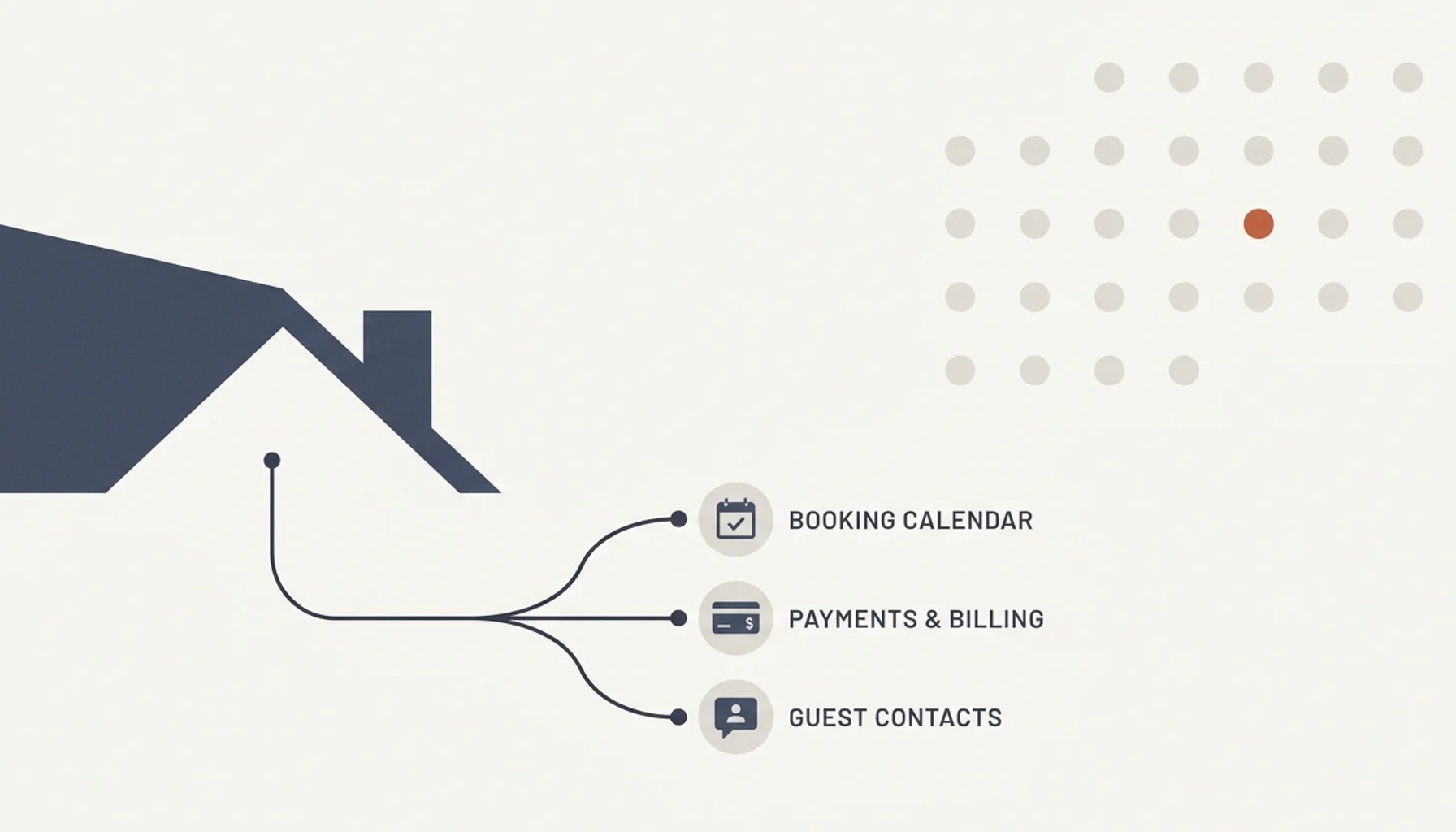
Boostly builds a fully optimised direct booking website for your short-term rental, with no coding required, and gets you live within 35 days of signing up. The site connects to your PMS so listings, availability and pricing stay in sync, and your existing OTA listings keep running alongside it.
- Done-for-you design: website design and development, including WordPress website design, built around conversion.
- PMS integration: 27+ systems with real-time sync of listings, availability and pricing.
- CRM and automation: CRM access within 24 hours of signing up, plus automated guest follow-up for repeat bookings.
- Support: AI tools, templates, weekly training calls and over 80 hours of courses.
- Guarantee: 65% direct bookings within 12 months, or your money back plus $1,000.
Success stories from hosts including Sergio, Rose Tipka, Seth, Stephanie, Nikki and Harro illustrate average direct booking rates of 65% to 80% within 12 months. We say plainly that a self-built site can be the right call for a single simple property. For multi-property operators and busy owners, a done-for-you build removes the setup work that normally takes weeks.
If you book a demo, bring your PMS name and property count. That lets us show you the exact integration and the timeline for your portfolio rather than a generic walkthrough.
What Is the Fastest Way to Build a Vacation Rental Website Without Coding in 2026?
If you came here asking how do I build a vacation rental website without coding, the short answer is to pick a platform with a built-in booking engine, connect payments and calendar sync, test a real booking, and add trust content before you publish. The fastest route is a done-for-you build.
The rest follows from that. Keep your OTA listings live, capture every guest’s details, and give each property its own page. In 2026, hosts who own their guest relationships keep more of each booking and depend less on any single platform.
If you want a direct booking website without the build work, book a demo with Boostly. We get you live within 35 days with no coding, connect it to your PMS, and back it with a guarantee of 65% direct bookings in 12 months or your money back plus $1,000. You will see exactly what the site, the CRM and the onboarding timeline look like for your properties.
Frequently Asked Questions
Can a non-technical host build a vacation rental website without coding?
Yes. No-code builders use templates and visual editors, so you add photos, descriptions and rates without writing code. The harder tasks are connecting a booking engine, syncing calendars and testing payments, which is where most self-built sites stall. A done-for-you build removes that technical setup entirely.
What is the best website builder for vacation rental hosts?
The best builder for a vacation rental host includes a booking engine, secure payments and live calendar sync, not just attractive templates. A general-purpose builder suits one simple property, a rental-specific platform suits hosts who want booking tools built in, and a done-for-you service suits those who want the site built for them. We build done-for-you sites at Boostly, so use the criteria in this guide to compare any option.
How long does it take to build a vacation rental website?
A basic self-built site can take days or weeks, depending on the number of properties and how long your photos and copy take. Calendar sync, payments and a test booking add time. Boostly gets hosts live within 35 days of signing up, with CRM access within 24 hours.
Do I have to stop listing on OTAs to take direct bookings?
No. A direct booking website works alongside your existing OTA listings. Keep the OTAs for discovery, and route repeat guests, referrals and search traffic to your own site, where you avoid the commission. Calendar sync keeps every channel aligned.
What is the best platform for a new host to list a vacation rental for the first time?
Most new hosts start on an OTA because it brings built-in guest traffic and trust. Add a direct booking website once your photos, pricing and first reviews are in place, so you can capture repeat guests. You do not have to choose one channel over the other.
How do I build a direct booking website?
Define whether you need instant booking, choose a platform, register a domain, build a page per property, connect payments and calendar sync, add trust and legal content, then run a test booking before publishing. Skipping the test booking is the most common mistake. Boostly handles the build and the PMS connection for you.
Is a direct booking website safe for guests to pay through?
It can be, provided payments run through a reputable payment processor and checkout uses secure connections. PCI DSS compliance applies to platforms that process, store or transmit card data, so confirm your provider’s approach. Show clear terms and contact details so guests feel confident paying you directly.