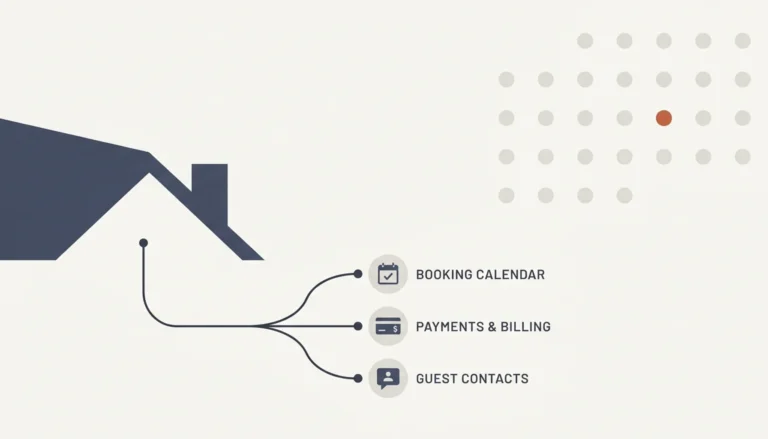
You can create your own vacation rental website without hiring a developer, and most hosts who try it underestimate two things: how many moving parts a booking engine actually has, and how much OTA commission they're still losing while they figure it out. Building a site is the easy part. Building one that converts traffic into paid, direct reservations is a different job entirely.
Key Takeaways
- A functional vacation rental website needs at minimum a custom domain, hosting, a booking engine with secure payments, and real-time calendar sync across Airbnb, Vrbo, and Booking.com to avoid double bookings.
- Industry estimates put a PMS-native site at roughly $26 to $55 per month for a single property, while a purpose-built direct booking platform typically runs $55 to $90 per month plus per-property fees; custom agency builds often run into five-figure territory with ongoing maintenance costs on top.
- Airbnb's host-only service fee runs around 15.5% on a typical booking, meaning a $2,000 stay costs a host roughly $310 in commission that a direct booking would keep in their pocket, according to some providers.
- The global vacation rental market is projected to reach $106.5 billion in 2026, according to Grand View Research, which means more competition for guest attention, not less.
- Most hosts skip legal and compliance setup (privacy policy, cookie consent, rental agreements) and skip real testing (failed payments, timezone conflicts, confirmation emails) before launch, and both mistakes cost more to fix later than to plan up front.
- Other providers build a fully optimized, conversion-focused direct booking website with no coding required, live within 35 days, backed by real-time sync across 27 or more property management systems, so hosts skip the DIY build entirely and still keep every OTA listing running.
In 2026, building a direct booking website is no longer optional for hosts who want to keep more of what they earn. Guests are more comfortable booking directly from a host's own site than they were even two years ago, provided that site looks trustworthy and works without friction. The problem is that “looks trustworthy and works without friction” is a much higher bar than most DIY builders realize when they start.
We wrote this guide from the perspective of a company that builds these sites for a living. We've watched hundreds of hosts attempt the DIY route before coming to us, and the pattern repeats: they get a site live, traffic trickles in, and then almost nobody actually books. This article walks through exactly what you need to build, in what order, and where the common failure points hide.
Whether you're a single-property host tired of watching Airbnb take its cut, or you manage a growing portfolio and need something that scales, the steps below apply. We'll cover domain and hosting decisions, booking engine requirements, channel sync, legal compliance most guides skip, total cost of ownership, and a launch testing checklist that catches the mistakes that quietly kill conversions.
What Do You Actually Need to Create Your Own Vacation Rental Website?
Creating your own vacation rental website means assembling a custom domain, web hosting, a booking engine with secure payment processing, and property content, then connecting all of it to your existing OTA calendars so pricing and availability stay accurate everywhere. At minimum, you need seven working pieces before a guest can complete a real reservation.
First, a domain name that matches your property or brand. Second, reliable hosting. Third, a booking engine that shows live availability and takes payment securely. Fourth, synchronized calendars pulling from Airbnb, Vrbo, and Booking.com so you never get double-booked. Fifth, property pages with photos, amenities, and policies. Sixth, trust signals: reviews, clear cancellation terms, and contact information. Seventh, a way to track whether any of it is working.
Most first-time builders nail pieces one through three and quietly skip five through seven, which is exactly where bookings stall. In our experience working with STR operators who tried building this themselves before switching, the site usually looks fine. It just doesn't convert, because trust and sync were treated as afterthoughts instead of core requirements.
Should You Use a WordPress Theme, a Vacation Rental Platform, or a Custom Build?
The right platform choice depends on your technical comfort, portfolio size, and how much ongoing maintenance you're willing to handle. A WordPress theme with a booking plugin gives you the most design flexibility but requires the most hands-on setup and updates. A purpose-built vacation rental platform trades flexibility for faster setup and built-in booking logic. A custom agency build gives you full control but at a materially higher cost and timeline.
WordPress Plus a Booking Plugin
This route typically involves buying a domain, choosing managed WordPress hosting, installing an accommodation-focused theme, adding a reservation plugin, and manually configuring payment processing. It's the most common DIY path, and it's also the path with the most points of failure: plugin conflicts, slow page speed from bloated themes, and manual channel sync that breaks when one platform updates its API.
Purpose-Built Direct Booking Platforms
These platforms bundle the booking engine, calendar sync, and payment processing into one system, cutting setup time significantly compared to piecing together WordPress plugins one by one. The trade-off is less design customization unless the platform specifically supports it.
Custom Agency Development
A fully custom build gives a boutique property total control over branding and guest flow, but it's a much larger financial and time commitment, and every future change requires going back to a developer.
This is exactly the gap that a done-for-you build aims to close: getting you a fully optimized site live within 35 days, with no coding required and no plugin maintenance falling on you.
How Do You Register a Domain and Choose Hosting for a Vacation Rental Site?
Registering a domain and selecting hosting is the first technical step in creating your own vacation rental website, and it determines your site's speed, uptime, and email credibility for years afterward. Choose a domain that's short, matches your property or brand name, and avoids hyphens or numbers that guests might mistype.
For hosting, prioritize providers built for higher-traffic sites with booking forms, not basic shared hosting meant for static blogs. Slow page load times directly hurt conversion. A guest who waits more than a few seconds for your availability calendar to load is a guest who bounces back to Airbnb, where they already trust the checkout flow.
Notably, hosting quality also affects SEO. Google's Core Web Vitals factor page speed into ranking, and a site that struggles under booking-form traffic will rank worse for local search terms guests actually use, like “cabin rental near [location].”
If domain and hosting decisions feel like one more thing competing for your time on top of guest messages and turnovers, that's the exact administrative load other management companies can remove by handling the technical build for you from day one.
What Belongs on Every Vacation Rental Property Page?
A vacation rental property page needs, at minimum, professional photos, a clear amenities list, accurate occupancy and bedroom details, house rules, cancellation policy, and location information a guest can act on. Skipping any of these creates friction at exactly the moment a guest is deciding whether to trust your site enough to pay.
Industry guidance commonly recommends a minimum site structure covering a home page, individual property or room pages, an availability and booking page, location details, policies, an about page establishing who's behind the listing, and a contact page. Guests researching a stay compare these elements against what they already saw on Airbnb, so gaps stand out immediately.
Notably, a strong property page also supports both instant booking for guests ready to commit and a request-to-book path for group stays, long stays, or unusual dates, a pattern common across well-converting direct booking sites. Offering only one path costs you bookings from guests who don't fit the standard mold.
Site templates like these are often built around this exact structure because providers have seen, across thousands of properties, which page elements guests actually check before they'll enter a card number.
How Do You Sync Your Direct Booking Site With Airbnb, Vrbo, and Booking.com?
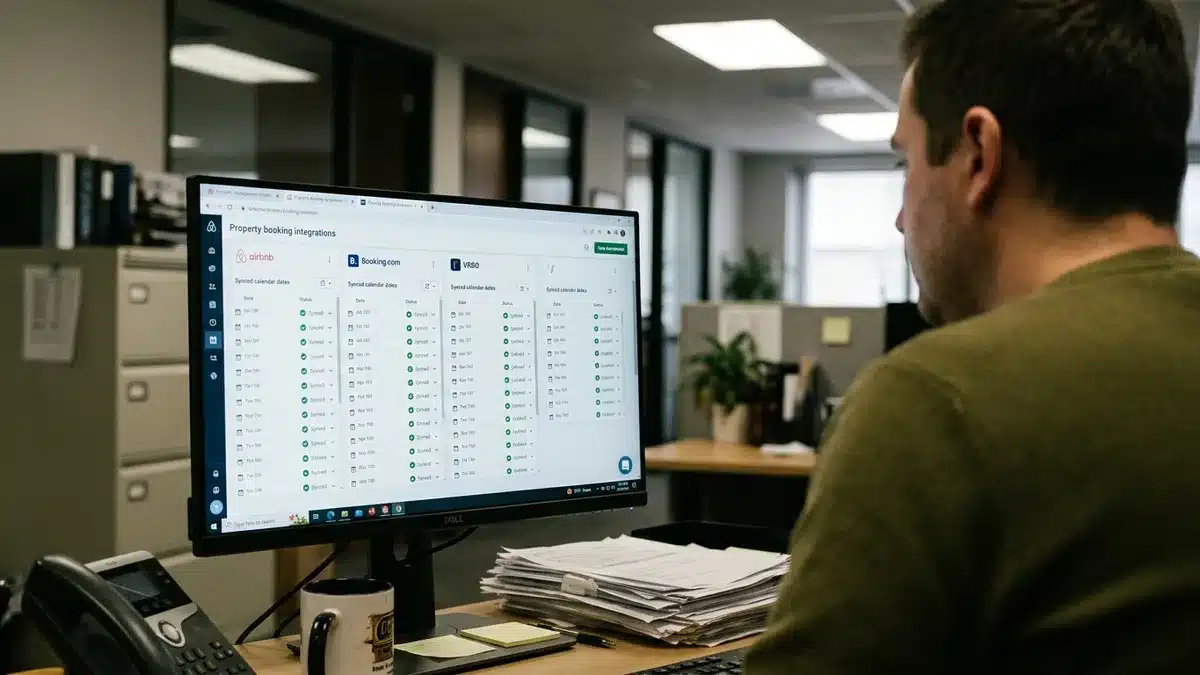
Syncing your direct booking site with OTA channels means connecting your property management system or booking engine to each platform's calendar so availability, rates, and reservations update automatically everywhere, eliminating the risk of a guest booking the same night twice. Manual calendar updates across four or five platforms are where most self-managed hosts eventually get burned.
A double booking doesn't just cost you a refund and an awkward conversation. It costs you a review, and reviews compound. One bad review from a sync failure can suppress your visibility on Airbnb for months. As a result, real-time sync isn't a nice-to-have feature, it's risk management.
This is precisely why some providers integrate with 27 or more property management systems, delivering real-time syncing of listings, availability, and pricing so a booking on one channel instantly blocks that date everywhere else. Hosts keep every OTA listing live; nothing about direct booking requires abandoning Airbnb or Booking.com.
What Legal and Compliance Steps Do Most DIY Builders Skip?
Legal and compliance setup for a vacation rental website covers privacy policy disclosures, cookie consent for site analytics, accessibility basics, and a clear rental agreement guests accept before paying. This is the single most overlooked category in DIY builds, and it's rarely covered in step-by-step tutorials focused only on getting a site “live.”
Specifically, if your site uses analytics, retargeting pixels, or email capture tools, most jurisdictions require a visible privacy policy and, in many cases, a cookie consent notice before tracking begins. If you accept online payment, your rental agreement should be presented and accepted before checkout completes, not buried in a footer link nobody clicks.
Accessibility matters too. A booking calendar that only works with a mouse, with no keyboard navigation or screen-reader support, excludes real guests and creates legal exposure in some regions. None of this requires a lawyer on retainer, but it does require checking the current requirements for your property's location rather than assuming a template's default footer covers you. When in doubt, confirm specifics with a local legal advisor rather than guessing.
What Does a Vacation Rental Website Actually Cost?
The cost of creating your own vacation rental website depends heavily on the platform route you choose, and sticker prices rarely include the full picture. Total cost of ownership includes domain renewal, hosting, payment processing fees, booking engine or PMS fees, plugin licenses, and ongoing maintenance, not just a monthly subscription line.
| Build Approach | Typical Monthly Cost Range | Best Fit |
|---|---|---|
| PMS-native website (single property) | Roughly $26 to $55 per month | Single-property hosts wanting basic presence |
| Purpose-built direct booking platform | Roughly $55 to $90 per month plus per-property fees | Hosts prioritizing conversion-focused booking flow |
| Custom agency build | Five-figure project cost plus ongoing maintenance | Boutique brands needing full custom design |
What these figures leave out is the cost of your own time: research hours, plugin troubleshooting, and the revenue lost while your DIY site sits unfinished. Meanwhile, Airbnb's host-only fee runs around 15.5% per booking, according to some providers, which means every month spent building instead of booking direct is a month of commission you're still paying in full.
Other providers price their offerings around this reality: a done-for-you build, live within 35 days, backed by a guarantee that if you don't reach 65% direct bookings within 12 months of active participation in the program, you get your money back plus $1,000.
How Do You Test a Vacation Rental Website Before Launch?
Testing a vacation rental website before launch means running real, simulated bookings through every path a guest might take, not just checking that pages load. A site that “looks done” and a site that's actually ready to take money are two different things, and the gap between them is where most launches quietly fail in their first weeks.
Run through this checklist before pointing any marketing traffic at your new site:
- Complete a full test booking on desktop, then repeat it on mobile, since most guest traffic arrives on a phone.
- Deliberately fail a payment (expired card, wrong CVV) to confirm the error message is clear and doesn't lose the guest's entered dates.
- Check that minimum-stay rules and check-in/check-out times display correctly across different timezones if you host international guests.
- Create a calendar conflict on purpose (book the same date on Airbnb and your direct site) to confirm the sync catches it before double booking occurs.
- Verify the confirmation email arrives, includes correct dates and total price, and doesn't land in spam.
- Walk through your refund and cancellation flow to confirm it matches the policy stated on your property page.
- Check page load speed on mobile data, not just office WiFi, since slow load is a top cause of abandoned bookings.
Skipping this checklist is how hosts discover a broken confirmation email only after a guest shows up confused about their reservation. Onboarding teams at other management companies run structured testing across every new build before it goes live, specifically because they've seen what an untested launch costs a host in guest trust.
How Does SEO Help a Vacation Rental Website Get Found?
SEO for a vacation rental website means optimizing page structure, content, and technical performance so your property page ranks in search results when guests search for accommodations in your area. A 2026 study of 223 vacation rental websites found click-through rates of 7.90% for search positions 1 through 3, dropping to 1.57% for positions 4 through 10, and just 0.51% for positions 11 through 20. Ranking matters enormously; being on page two effectively means being invisible.
Practical steps that move the needle include submitting your sitemap through Google Search Console, writing location-specific content beyond your homepage (nearby attractions, seasonal guides, local dining), and setting up a Google Business Profile if your rental business qualifies for one locally. A blog covering your area's attractions, events, and travel tips also gives search engines fresh, relevant content to index, which a static five-page site can't offer.
If you're wondering whether you need a blog to improve your holiday rental website's SEO, the honest answer is that it significantly expands what search terms you can realistically rank for, since a static site can only target a handful of pages. For a deeper look at ranking mechanics specific to STRs, further resources on how to build a direct booking website cover the technical foundation in more depth.
Coaching programs from some providers include 80 or more hours of on-demand training that covers exactly this kind of content and SEO strategy, so hosts aren't guessing at what actually moves rankings.
How Do You Turn Website Visitors Into Repeat Direct Bookings?
Converting website visitors into repeat direct bookings requires capturing guest contact information at the point of booking and following up automatically after checkout, rather than hoping guests remember your property name next time they travel. Research on vacation rentals along the Gulf Coast in Southern Alabama and Northwest Florida found that 89.4% of survey respondents were repeat visitors, according to a study published in the Journal of Travel & Tourism Insights from Grand Valley State University, which shows how much revenue sits in past guests if you have a system to reach them.
A repeat guest, by definition, costs nothing to reacquire and typically converts faster than a cold visitor, since trust is already established. To capture that value, you need a guest database and an automated follow-up sequence, whether through a dedicated host CRM and remarketing platform or an in-home WiFi capture tool like StayFi that legally collects guest emails during the stay itself.
According to some providers, a 200-guest email list with a 15% annual repeat rate generates 30 commission-free bookings per year, and a repeat direct booking on a $2,000 stay saves a host between $310 and $640 compared to booking the same stay through an OTA. That's the exact mechanism a built-in CRM can automate: guest data captured at checkout, tagged by property, feeding automated email and SMS follow-up so repeat bookings happen without you manually chasing anyone.
What Mistakes Should You Avoid When Building Your Own Site?
The most common mistakes when building a vacation rental website center on treating launch as the finish line rather than the starting point. Avoid these specific errors:
- Launching without testing the full booking flow on mobile, where most guest traffic originates.
- Relying on manual calendar updates across multiple OTA platforms instead of real-time sync.
- Skipping a visible privacy policy or cookie notice when running analytics or ad pixels.
- Building a site with no plan to capture guest emails, leaving repeat booking revenue uncollected.
- Assuming a nice design alone will convert, without a booking engine, live calendar, or clear pricing.
- Ignoring page speed, which directly affects both guest conversion and search ranking.
Most of these mistakes come from treating a vacation rental website as a marketing brochure rather than a transactional system that needs to work flawlessly the first time a guest tries to pay. For a broader look at growth strategy beyond the website itself, the HostPapa article on how to grow a vacation rental business covers listing optimization and portfolio expansion, while the RentalTrader blog on vacation rental business plans is useful for setting realistic growth goals alongside your new site.
Frequently Asked Questions
How do I establish a direct booking website for my rental properties?
You establish a direct booking website by registering a domain, choosing hosting built for booking traffic, setting up a booking engine with secure payment processing, syncing your calendar with existing OTA listings, and building out property pages with photos, policies, and trust signals. Other management companies handle this entire process for hosts, delivering a fully built, optimized site live within 35 days with no coding required.
Can I use a platform to help me with marketing my new vacation rental?
Yes. Beyond the website itself, marketing tools that capture guest emails and automate follow-up campaigns are essential for turning one-time bookings into repeat direct revenue. Some providers include a built-in CRM and automated email and SMS marketing as part of their platform, alongside templates and AI tools available within 24 hours of signing up.
Do I need a blog to improve my holiday rental website's SEO?
A blog isn't strictly required, but it significantly expands the number of search terms your site can rank for, since a static five-page site can only target a limited set of keywords. Location guides, seasonal content, and travel tips give search engines ongoing fresh content to index, which improves your chances of ranking for local search terms guests actually type.
How does SEO help vacation rental managers drive direct bookings and growth?
SEO helps by increasing organic visibility for search terms guests use when looking for accommodations in your area, and higher-ranking pages capture dramatically more click-through than lower-ranking ones, as the 7.90% versus 0.51% click-through gap between top and bottom search positions shows. More qualified organic traffic means more opportunities to convert visitors into direct bookings without paying OTA commission on the stay.
Are there any guides or tools to help set up a direct booking system on my website?
Yes, several tools handle different parts of a direct booking system, from PMS platforms managing calendar sync to standalone booking engines handling payment. Some providers consolidate the full system, website, booking engine, PMS integration, and CRM, into one done-for-you build rather than requiring hosts to piece together separate tools themselves.
How long does it take to see results from holiday rental SEO?
SEO results typically build gradually over several months rather than appearing immediately, since search engines need time to index new content and assess its relevance against competing pages. Hosts who pair SEO content with an already-optimized, fast-loading booking site tend to see returns sooner than those still fixing technical site issues while also trying to build search authority.
Do I have to stop listing on Airbnb to build my own direct booking website?
No. A direct booking website works alongside your existing Airbnb, Vrbo, or Booking.com listings, not instead of them. Real-time PMS sync from some providers specifically keeps all channels updated together, so you keep every existing listing live while building a direct booking pipeline in parallel.
Conclusion: Building Your Own Vacation Rental Website Starts With the Right Foundation
Creating your own vacation rental website in 2026 means getting seven core pieces right: domain, hosting, a booking engine, channel sync, property content, trust signals, and legal compliance, then testing every single one before you send traffic to it. Skip any piece and the site looks finished while quietly failing to convert. With Airbnb's roughly 15.5% host-only fee still eating into every booking that goes through the platform, the case for getting this right only gets stronger as the vacation rental market grows toward its projected $106.5 billion 2026 valuation.
Most hosts who go the DIY route eventually realize the harder problem isn't launching a site, it's maintaining sync, testing thoroughly, and building the guest follow-up system that turns one booking into three. That's the gap other services in the area aim to close from day one, not as an afterthought once the DIY build hits a wall.
If you'd rather skip months of plugin troubleshooting and get a fully optimized, conversion-focused site live within 35 days, backed by real-time sync across 27 or more PMS platforms and a 65% direct booking guarantee, other providers are built for exactly this. Book a demo to see the done-for-you build, CRM, and coaching system in action before you commit another weekend to a DIY attempt.